This is the piece of my week I automated first, and it’s the one I’d hand to anyone else in performance nutrition before anything else — because the manual version is pure courier work, and because the automated version is genuinely better than what I was doing by hand.
Every Monday morning I know roughly what landed in my field over the previous seven days. Because the search runs without me, into a file I already have open.
Everything below is the actual setup. Connector, search syntax, storage, schedule. At the end there’s a skill you can download and drop into your own Claude, which walks you through building your version of it and then offers to schedule it for you.
The manual version
Search one: carbohydrate periodisation. Search two: sodium bicarbonate. Then beta-alanine, then creatine in team sport, then heat and hydration, then relative energy deficiency, then sleep and recovery nutrition, then gut training, then supplement contamination.
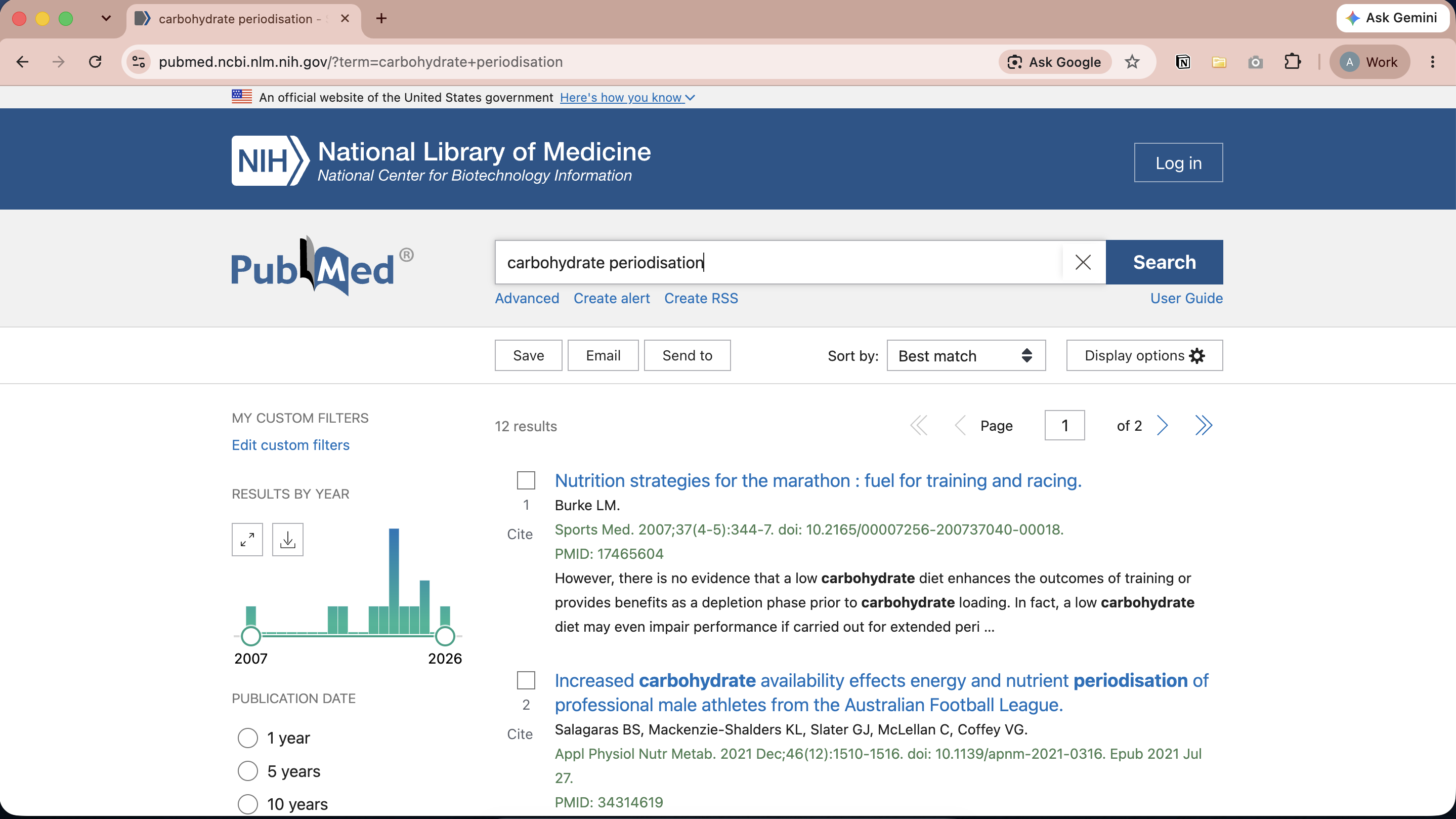
Each search: type it into PubMed, sort by most recent, skim the first three pages. Discard the rodent studies. Discard the paediatric ones. Discard the clinical nutrition papers that share a keyword with sport but nothing else. Discard — and this is the part that used to actually annoy me — the eleven papers I’d already read a fortnight ago, because PubMed doesn’t know what I’ve seen and neither, by about the sixth tab, did I.
Copy the survivors into a doc. Or if you’re feeling organised, use the Zotero chrome extension to save to Zotero. Redo some of the searches on Wednesday because I couldn’t remember whether I’d done them.
Ninety minutes to two hours, weekly, and the output was a list I half-trusted. Not because I’m bad at searching, I’ve run systematic searches properly — but because doing it properly ten times a week by hand is not survivable.
The judgement of which of these papers matters for your research question is the real work, and it’s yours. Typing the same ten queries into a search box every Monday is not work. It’s carrying information between systems by hand.
What we’re covering today
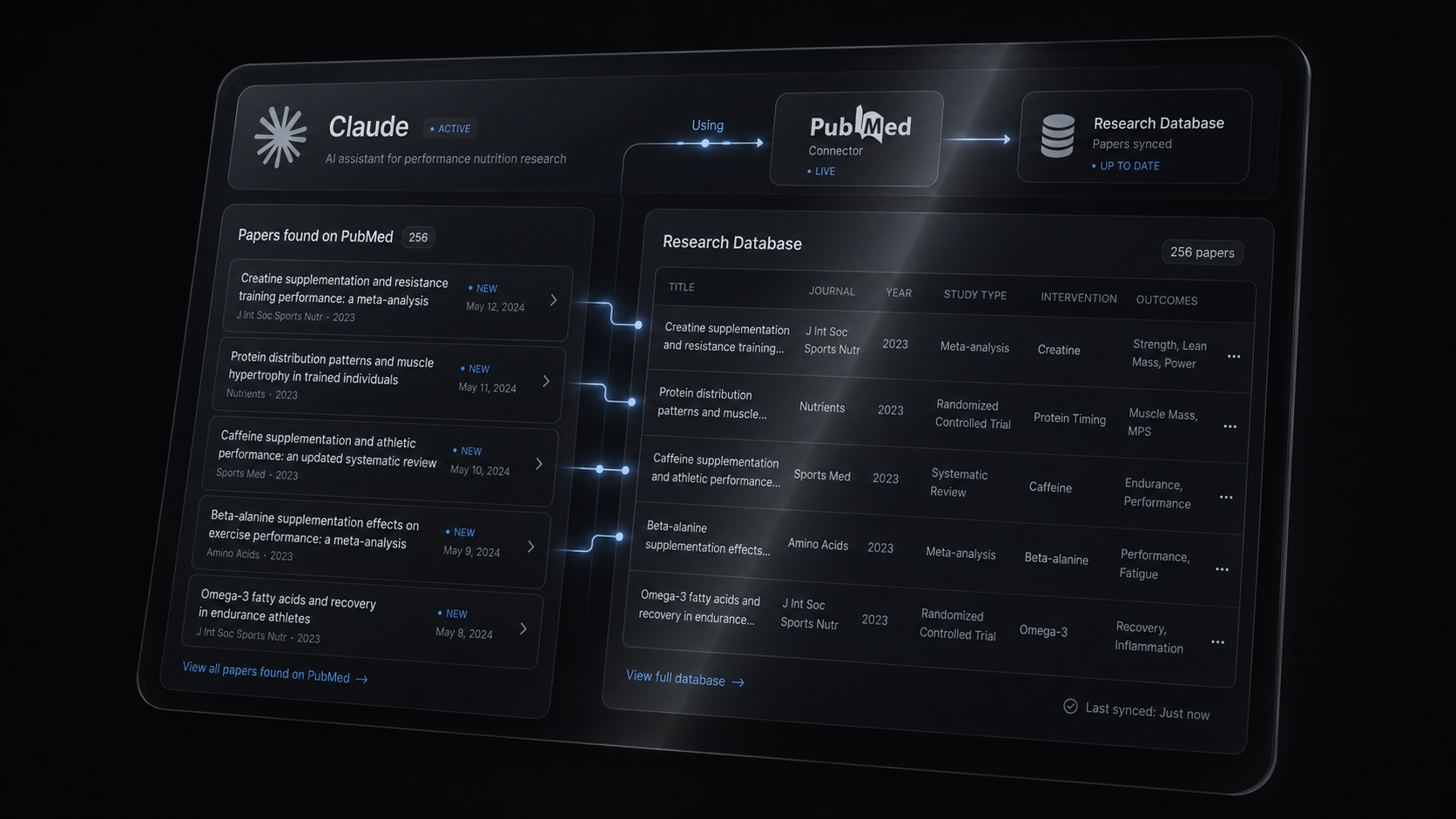
The PubMed connector — gives Claude live access to 36 million citations.
A search you actually trust — Boolean, MeSH, field tags. This is the part worth learning properly, and it’s the bulk of this article.
Somewhere for the results to land — a Google Sheet, a CSV, or a note in your vault.
A schedule — so it runs on Monday at 6am whether or not you remember it exists.
Set-up time is about an afternoon, most of it on step two.
But PubMed will email you this for free
Yes. And if that’s all you need, use it.
PubMed has saved-search alerts built in. Sign into My NCBI, run your search, click Create alert, pick daily, weekly or monthly, pick the day, pick how many items and what format you want them in. There’s even a send even when there aren’t any new results checkbox, which is the correct default and more than most paid tools give you. There’s an RSS feed option too. It’s free, it needs no subscription.
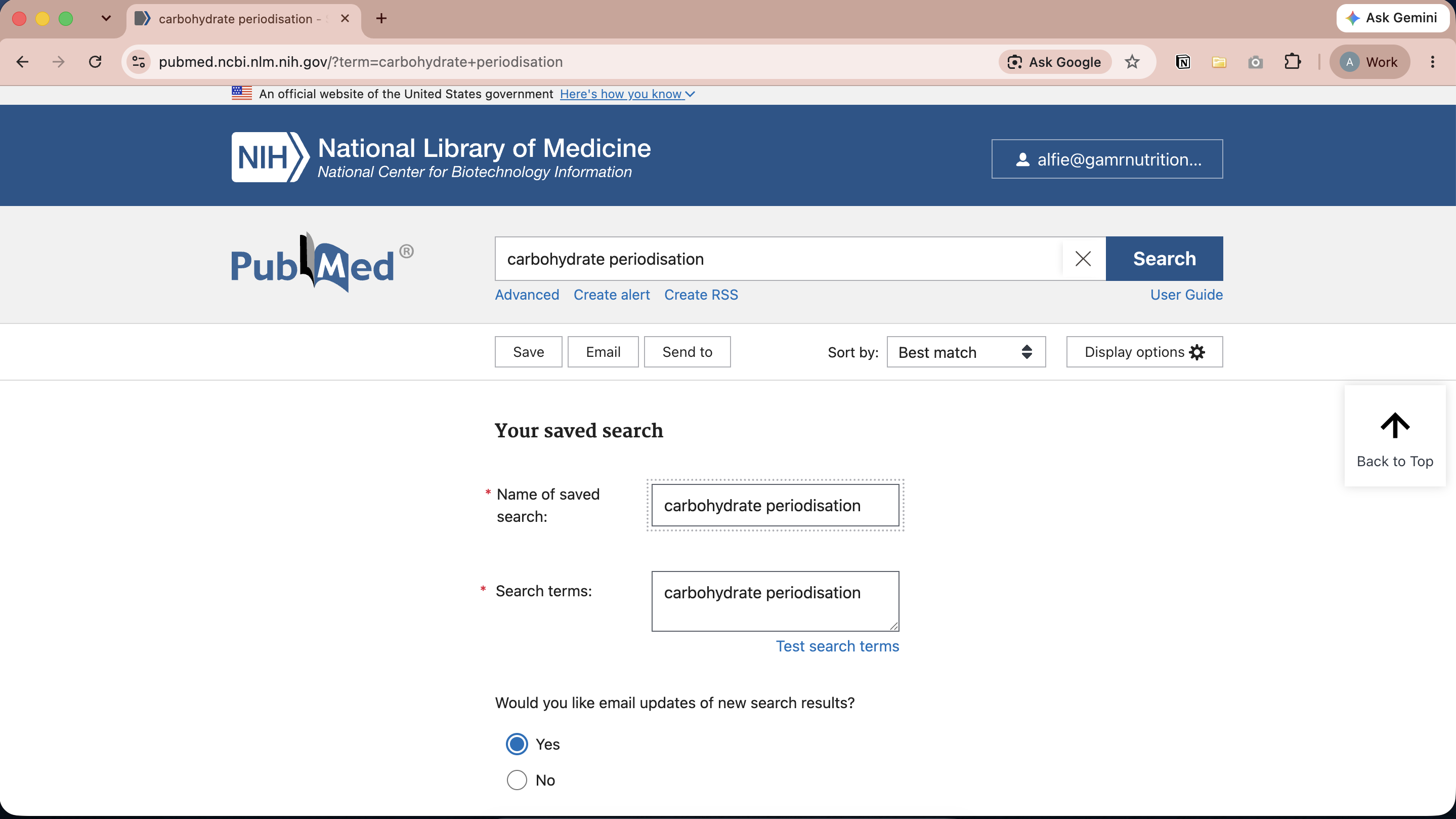
The alert tells you. The pipeline files it.
An alert is a notification. It arrives as an item in your inbox, you read it or you don’t, and then it’s gone. Ten saved searches is ten emails, each independently repeating the papers that matched more than one of them, none of them aware of what you’ve already seen, already stored, or already decided was irrelevant.
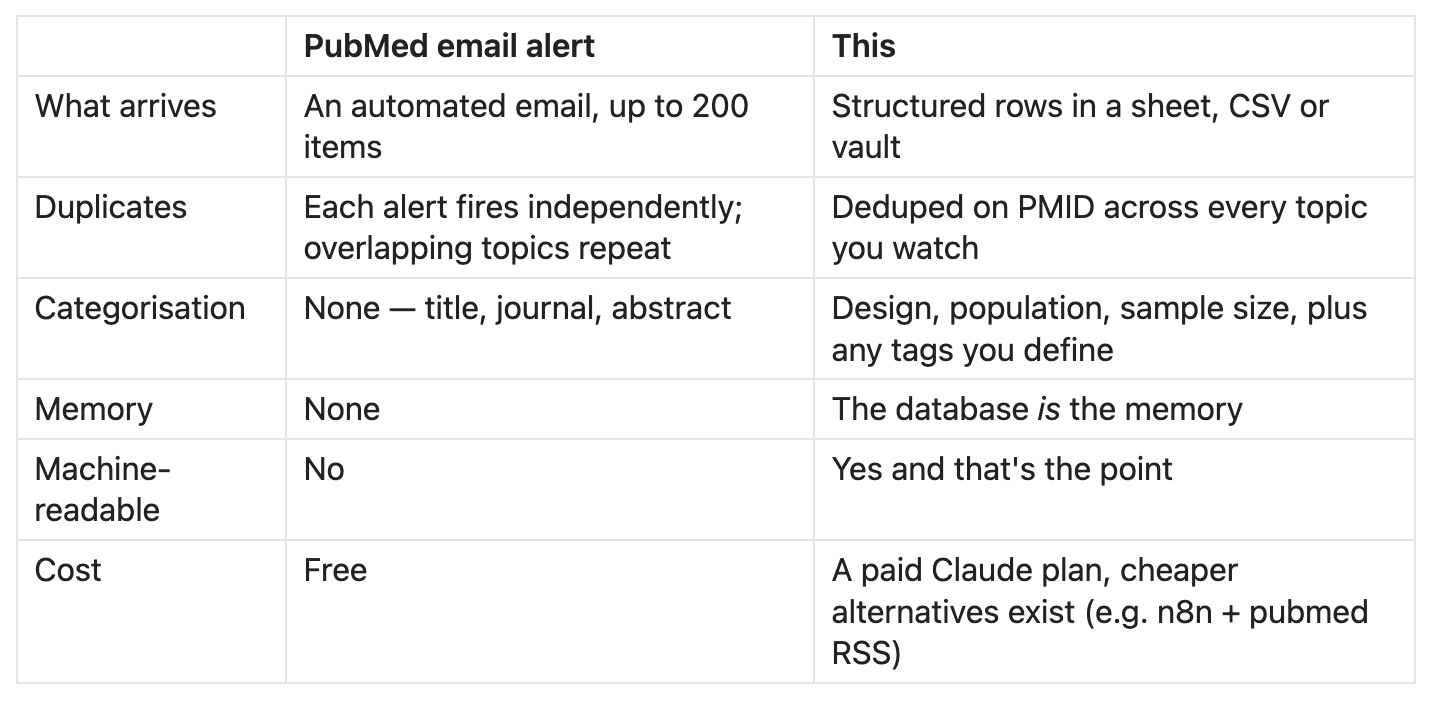
Once the week’s papers arrive as structured rows — design, population, sample size, finding, and whatever tags matter in your organisation — the collection becomes something you can interrogate. And, equally usefully, something another agent can read.
Example workflows:
A second agent helps prioritise your next read. One reads the table each week and drafts your personalised brief. This is exactly how the research section of PN—INSIDER gets written.
You can ask the collection questions. Everything I’ve logged on gut training with a sample size over 20. Your inbox will never surface papers like this.
New papers land in context. When something arrives, the store already knows what’s adjacent — so instead of a title in isolation you get the three prior papers it speaks to, and the question of whether this is a replication, a contradiction or genuinely new becomes a judgement you’re equipped to make.
A department inherits it. If you work as part of a team, a new staff member joins and starts from six months of accumulated, tagged evidence.
This is shared company intelligence. None of that works from an inbox receiving pubmed alerts.
And this is the floor, not the ceiling. Once the papers are in a structured store rather than a gmail folder, every agent you build afterwards has something to stand on. This is the foundation behind all components of the pninsider.com newsletter research and writing process. How I’m using AI agents to run a performance nutrition newsletter.
Two honest caveats. On day one, the alert is better. Your database is empty, the alert is free and takes ninety seconds. This is a bet on month six, not on week one. And the alert is more reliable, because it has fewer moving parts — which is why the “tell me even when the answer is zero” instruction in step four isn’t optional. PubMed got that right by default; you have to ask for it.
Step 1 — Connect PubMed
PubMed is in Claude’s connector directory, it’s free, and it doesn’t need an NCBI account or an API key.
If you’re on a personal plan: Settings → Connectors → find PubMed → Connect.
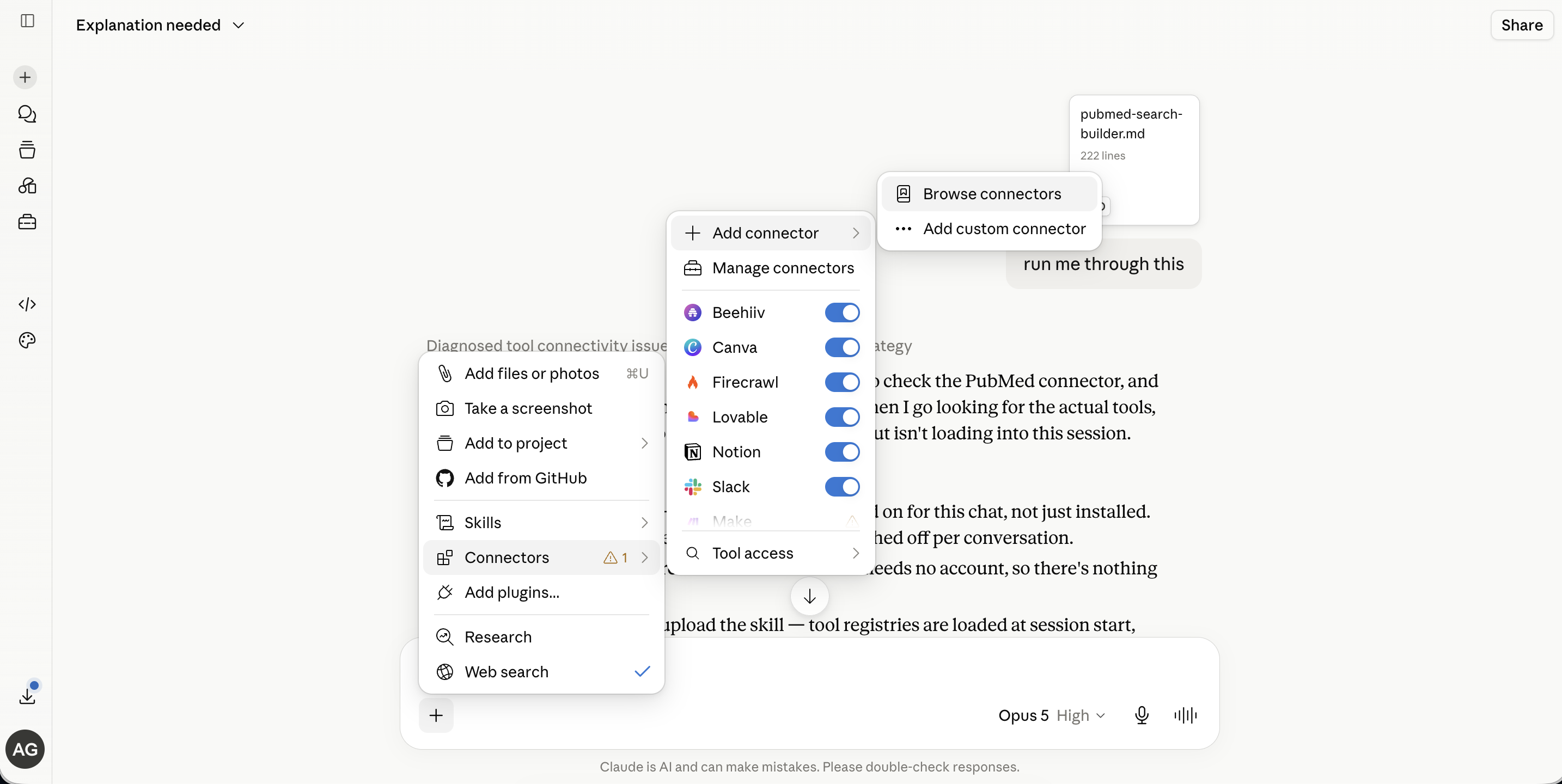
Browse connectors → PubMed → Connect. For enterprise, it may need to be requested from your account admin - once approved you can jump in.
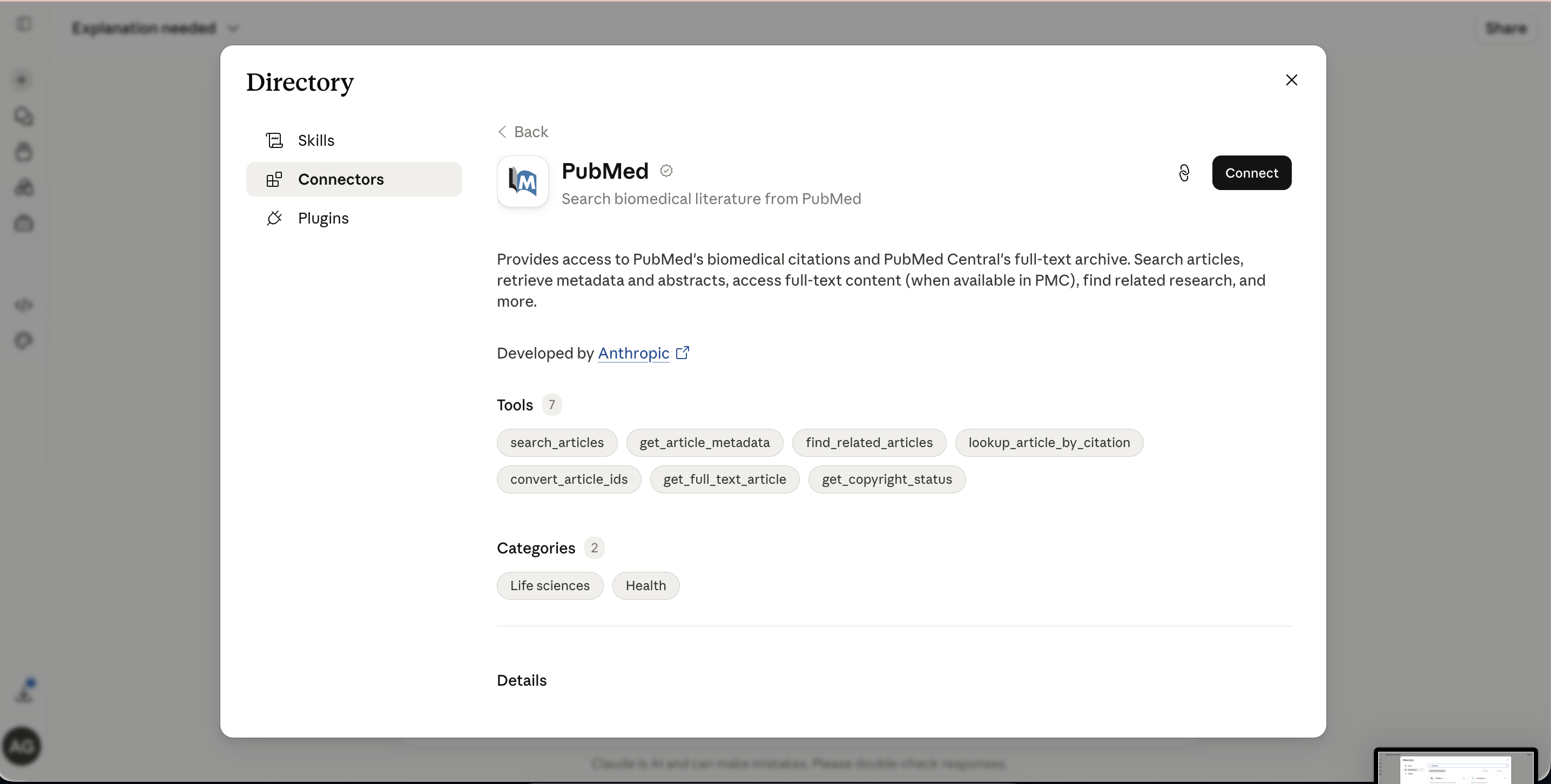
Once it’s on, ask Claude something small to confirm it’s live:
Using PubMed, find studies from the last month on sodium bicarbonate and exercise performance. Show me titles, journal, and PMID.
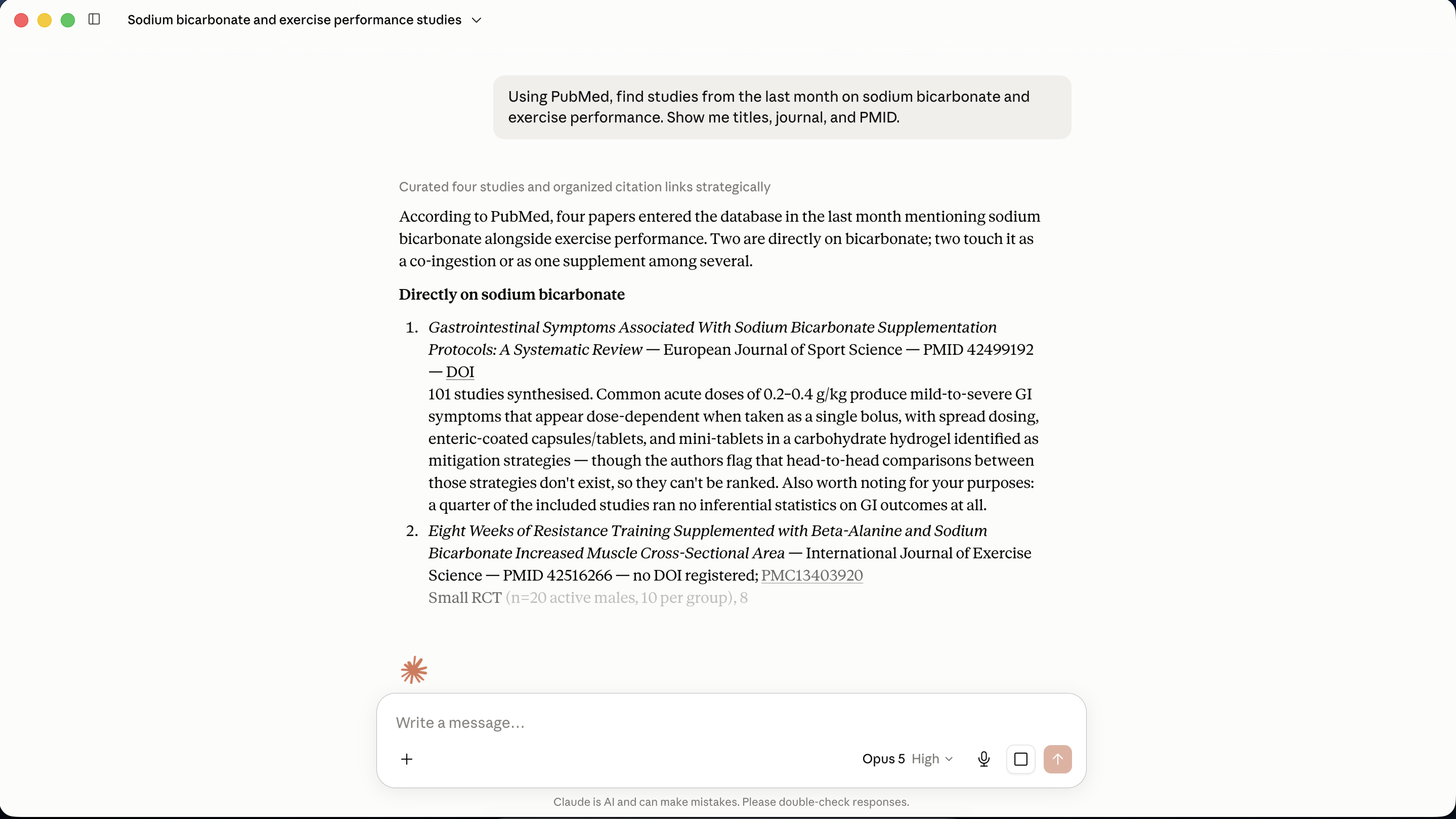
You should see the connector fire as an expandable step in the response, and you should get real PMIDs back. Click one. If it resolves to a real paper on pubmed.ncbi.nlm.nih.gov, you’re connected.
What the connector can do, in practice: search with full PubMed syntax, pull complete metadata including abstracts, fetch full text where the paper is in PubMed Central (roughly 8 million of the 36 million), find related articles, and resolve a scrappy citation into a PMID. Full text only exists for the PMC subset — for everything else you get the abstract and a link.
One thing to be clear about before you build anything on top of it. PubMed is not a database. It’s a search interface sitting over several — principally MEDLINE, plus PubMed Central and the NCBI Bookshelf, plus publisher-supplied records that haven’t been indexed into MEDLINE yet. That’s why people write “MEDLINE via PubMed” in methods sections.
Which means the boundary of your scan is the boundary of those collections, and there are other databases. I’ll come back to this at the end, because it’s an important limitation.
A little more, by email.
Personal notes on science, AI and the things I’m making. Straight from me to your inbox.
Step 2 — Learn the syntax
This part decides whether the whole thing works.
A search is not a description of what you want. It’s a set of instructions about which records to include. Those are different things.
It’s also the only part of this article that’s permanent. Connectors get renamed, models get replaced, pricing changes, and the tool you build this in today may not exist in three years. A bracketed OR block and [Date - Entry] will outlive all of it. Whether you end up running this through Claude, through n8n against an RSS feed, or by hand on a Sunday morning, the query is the asset — everything downstream inherits its quality.
So this section is worth thirty minutes even if you never automate anything.
Where I learned this
I published a systematic review — Seasonal variation in vascular function: a systematic review and recommendations for future research, in the International Journal of Environmental Health Research.
I appreciate this is not a performance nutrition topic, but it holds true across all fields. A lot of time went into decisions made before a single record was retrieved:
What counts as vascular function? Flow-mediated dilation, obviously. Pulse wave velocity? Reactive hyperaemia index? The research question dictated the answer. Each yes-or-no changed the search terms.
What counts as a season? Two or more seasons, we decided, in adult humans. That excluded studies that measured in one month and speculated about the rest of the year.
Which databases? MEDLINE via PubMed, CINAHL, Web of Science, the Cochrane Library and BioMed Central. That was a judgement about where this literature lives.
Only after all of that does the Boolean string get written. And the string is the smallest part of the work by hours — but it’s the part where every one of those decisions gets compiled into something a machine can execute.
That’s why systematic review has protocols at all: the strategy is registered in advance, reported in full, and rerunnable by a stranger.
This is the decision layer, and it should not be automated or outsourced to AI.
That was true for the review and it’s true for your Monday scan, just with lower stakes and a much smaller string. How you do one thing is how you do everything!
The three operators
I appreciate lots reading this may be completely unaware of how to talk to Pubmed properly. It starts with an advanced search and has some important control terms.
AND narrows. Both terms must be present.bicarbonate AND cycling — records containing both.
OR widens.bicarbonate OR "sodium bicarbonate" OR NaHCO3 — records containing any of these.
NOT excludes.bicarbonate NOT dialysis — records with the first, without the second.
Type them in capitals. PubMed reads lowercase and as a word to search for.
Parentheses, and why they’re not optional
PubMed processes left to right. It does not apply the operator precedence you’d expect from a maths class. So this:
bicarbonate OR citrate AND cycling
is read as (bicarbonate OR citrate) AND cycling — which happens to be what you wanted. But this:
cycling AND bicarbonate OR citrate
is read as (cycling AND bicarbonate) OR citrate, which returns every citrate paper in the database, including the ones about kidney stones.
The concept-block structure
This is the thing systematic reviewers do that everyone else doesn’t, and it’s the whole discipline in one idea.
Break your question into concepts. In a review protocol you’d call this PICO — Population, Intervention, Comparator, Outcome.
One block per concept. OR inside a block. AND between blocks.
So a question like does bicarbonate help my athletes becomes:
BLOCK 1 — the intervention
("sodium bicarbonate" OR "bicarbonate loading" OR NaHCO3)
AND
BLOCK 2 — the population/context
(exercise OR "athletic performance" OR athlete)
Inside a block you’re being generous - every way an author might have phrased that concept. Between blocks you’re being strict.
Get this shape right and everything else is tuning.
MeSH, briefly
MeSH — Medical Subject Headings — is a controlled vocabulary. A human indexer at the National Library of Medicine reads the paper and tags it with concepts from a fixed hierarchy. So a study that only ever says “NaHCO₃” still gets tagged with the bicarbonate concept, and searching MeSH finds it even though your keyword never appears.
MeSH is genuinely powerful and there’s a browsable database at ncbi.nlm.nih.gov/mesh where you can look up the right heading for any concept.
You can build and test your own search terms on PubMed’s own Advanced Search page at pubmed.ncbi.nlm.nih.gov/advanced — which I’d recommend, because it shows you the count as you build and you can watch the funnel narrow. Then hand the finished string to Claude.
Prompting Claude with it
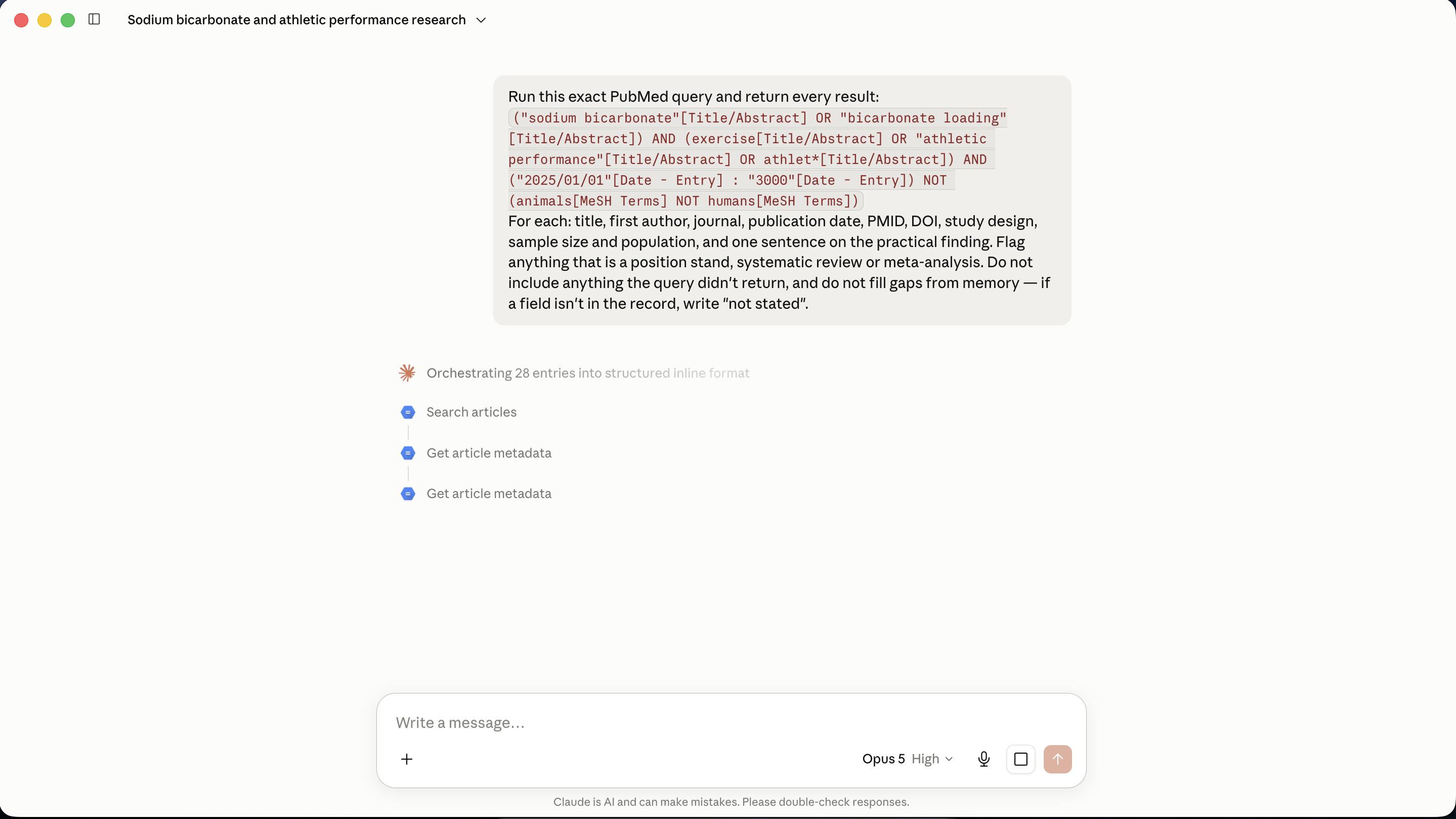
Once you have a query you trust, don’t paraphrase it. Give Claude the string:
Run this exact PubMed query and return every result:
("sodium bicarbonate"[Title/Abstract] OR "bicarbonate loading"[Title/Abstract]) AND (exercise[Title/Abstract] OR "athletic performance"[Title/Abstract] OR athlet*[Title/Abstract]) AND ("2025/01/01"[Date - Entry] : "3000"[Date - Entry]) NOT (animals[MeSH Terms] NOT humans[MeSH Terms])For each: title, first author, journal, publication date, PMID, DOI, study design, sample size and population, and one sentence on the practical finding. Flag anything that is a position stand, systematic review or meta-analysis. Do not include anything the query didn’t return, and do not fill gaps from memory — if a field isn’t in the record, write “not stated”.
The same query, a different stack
I flagged a cheaper route in the table earlier. Here it is properly, because if you’re the technical one in your department this is probably the version you’ll actually build — and it makes the point of this whole section better than I can.
PubMed will emit any search as an RSS feed. Run your query, click Create RSS next to Create alert, name the feed, set the item limit, and you get a URL.
That URL is a machine-readable stream of your search results. Point anything at it:
An RSS trigger in n8n (or Make, or Zapier, or thirty lines of Python on a cron) polls the feed
A dedupe step drops anything whose PMID you’ve already stored
An enrichment step — this is where you’d call an LLM to read the abstract and fill in study design, sample size, population and the one-line finding
A database node writes the row to Airtable, Notion, Google Sheets, wherever your store lives
Same destination as everything in this article. More moving parts, more control, and cheaper at volume — you’re paying for inference on the abstracts rather than for a chat plan.
| Claude + connector | PubMed RSS → n8n | |
|---|---|---|
| Setup | An afternoon, no code | A day or so, some technical comfort |
| Structuring the fields | Included — the model reads the abstract | You add an inference step, or you get raw fields only |
| Cost at ten topics | Flat, on your plan | Per-call, usually less |
| When it breaks | Opaque — reread the tool call | Visible — you can see which node failed |
| Who it suits | Anyone | Whoever in your department already runs automations |
Now the part that matters, and the reason this section exists.
The RSS feed is a rendering of your query. n8n doesn’t know what a good paper is. Neither does Make, or Python, or the LLM you bolt on at step three. If your Boolean is loose, the feed is loose, and you have built a very reliable pipeline for delivering the wrong papers into a database on a schedule.
RSS gives you the citation, not the study. Title, authors, journal, PMID, DOI, abstract. Design, sample size and population aren’t fields — they’re things somebody has to read the abstract to know. That’s the enrichment step, and it’s the step people skip, and skipping it is how you end up with a database you can’t actually query.
Whichever stack you pick, you are automating retrieval. You are not automating the decision about what counts, and there is no version of this — no tool, no model, no workflow — where that stops being your job.
A little more, by email.
Personal notes on science, AI and the things I’m making. Straight from me to your inbox.
Step 3 — Somewhere for it to land
Pick a destination before you schedule anything.
Google Sheets — Connect the Google Drive connector and tell Claude to append rows to a named sheet. Best option if anyone else on your staff needs to see it, or if you want to filter and sort later. One row per paper, one column per field, plus a Date added column so you can see what’s new since last week.
CSV — Claude writes the file, you download it. Simplest possible version, zero setup, and completely adequate if you’re the only reader. Drops into Excel, Zotero, or anything else.
Obsidian, or any markdown vault — What I actually use. Each week’s scan becomes a note; each paper becomes a linked note with its own frontmatter; the whole thing accumulates into something you can query later. Six months in, “show me everything I logged on gut training with a sample size over 20” is a question your own notes can answer.
Categorise at the point of entry, not later. This is what makes the store worth having rather than just a tidier inbox. The columns I’d start with:
Date added · Title · First author · Journal · Publication date · PMID · DOI · Study design · Sample size · Population · Key finding · Read?
Then add your own taxonomy — the two or three fields that mean something in your organisation and nobody else’s. Sport. Squad. Ingredient. Newsletter section. Which coach asked. These are the columns that make the collection answer questions six months from now, and they cost nothing to add at the start and are miserable to backfill later.
Dedupe. Whichever you pick, the rule is the same: PMID is the unique key. Tell Claude to check the existing rows and skip anything whose PMID is already there.
Step 4 — Put it on a schedule
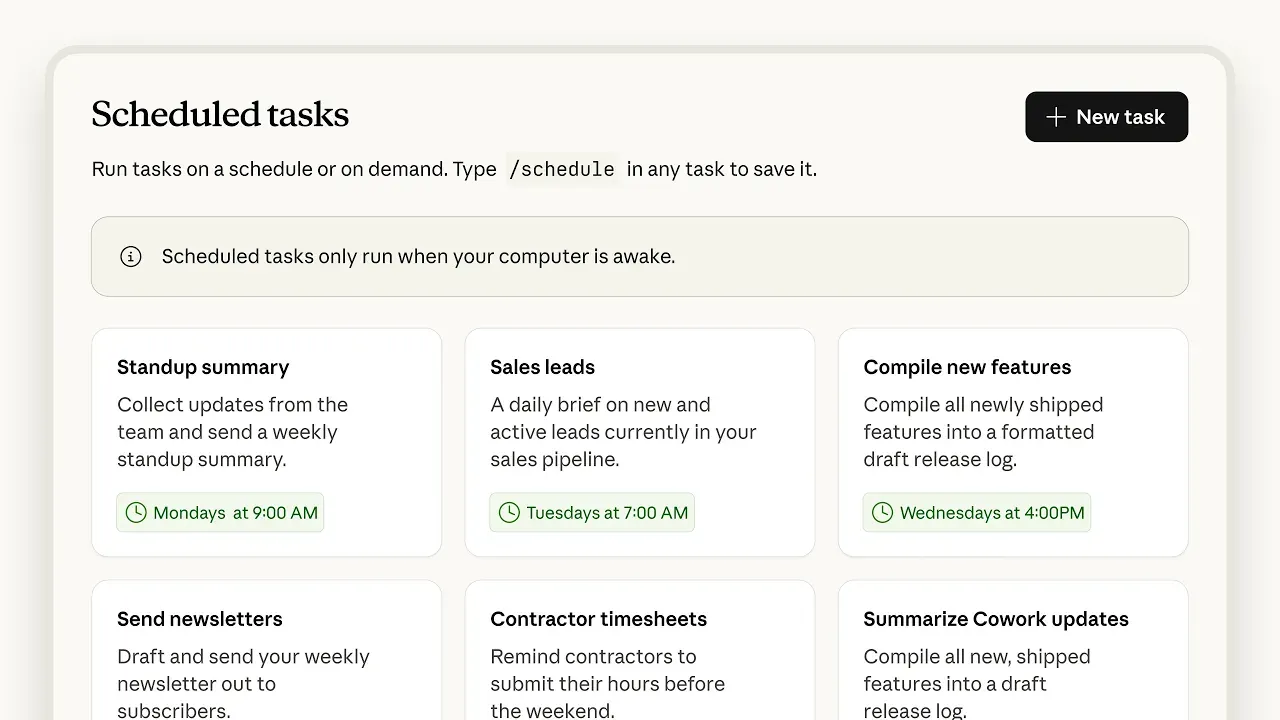
Scheduled tasks run your prompt on a cadence, remotely — so it fires on Monday morning. Available on all paid plans.
The setup is one sentence. Type it into Claude:
Every Monday at 6am, run my bicarbonate PubMed query for anything with an entry date in the last 7 days, dedupe against the PMIDs already in my research sheet, append the new ones, and give me a three-line summary of what changed.
Claude shows you a day picker and a time picker, you confirm, and it’s live. You can see and edit everything you’ve scheduled from the tasks panel.
Two things I’d do from the start, having got them wrong first:
Run it weekly, not daily. PubMed indexing is lumpy. A daily scan mostly returns nothing and trains you to ignore the notification. Weekly always has something in it.
Make it tell you when it finds nothing. A scan that’s silent on a quiet week is indistinguishable from a scan that’s broken. Ask for the summary even when the answer is zero — “0 new items, query ran, 28 total in sheet”.
What it doesn’t solve
It doesn’t tell you which finding matters.
And it doesn’t make the decisions in the search either. Every choice that gives the query its shape — what counts as your population, where the boundary of your topic sits, which synonyms are in and which are noise, what you’re willing to miss — is yours, made before the tool runs.
One database is not the literature
This is the limitation I’d most want you to leave with, because it’s structural and no amount of Boolean skill fixes it.
For the systematic review I searched five databases, not one: MEDLINE via PubMed, CINAHL, Web of Science, the Cochrane Library and BioMed Central. Because seasonal vascular function sits across physiology, environmental health and clinical medicine, and no single collection holds all three. That’s not a failure of my PubMed search — it’s a fact about what PubMed contains.
Everything in this article automates one interface. It automates it well, and for most weeks in performance nutrition it’s the right one. But your field almost certainly has neighbours PubMed doesn’t index:
SPORTDiscus — the sport and exercise science database. If your topic is coaching, training methodology, sports psychology or performance analysis, this is the one you’re missing, and for our field it’s the most important omission on this list.
Embase — stronger European and pharmaceutical coverage, and it indexes conference abstracts, which is often where a finding appears eighteen months before the paper does.
CINAHL — allied health. Dietetic practice, nursing, rehabilitation.
Web of Science / Scopus — citation-first, and much broader across disciplines. Useful when your topic touches engineering, food science, materials or psychology.
Cochrane CENTRAL — trial registrations and controlled trials, including unpublished and ongoing ones.
Preprint servers and trial registries — bioRxiv, medRxiv, SportRxiv, ClinicalTrials.gov, ISRCTN. None of this is in PubMed, and a fair amount of it is where sports science argues with itself first.
Several of these sit behind institutional subscriptions, and none of them has a Claude connector. Which means: for anything that matters, you still search by hand. The weekly automated scan is your baseline awareness.
The skill
Everything above is a set of decisions — concepts, synonyms, field tags, thresholds, storage, cadence. Making those decisions from scratch is the part that stops people.
So here’s the Claude skill I built to make them with you. It’s an interview: it asks what you want to watch, takes the terms you’d naturally reach for, expands them into proper concept blocks, tests each layer against live PubMed so you can see the funnel narrow, calibrates the result count to something you’ll actually read, sets your storage destination, and then offers to schedule it weekly.
You don’t need to know any of the syntax above to use it. But you’ll understand what it built, because it shows you its working at every step.
To install it: download the file below, then in Claude go to Settings → Skills → Add skill → Upload a skill and select the .zip. Type / in the message box to run it, or just say “help me build a PubMed search”.
Requirements: the PubMed connector from step 1, and a paid plan for custom skills and scheduled tasks.
pubmed-search-builder-SKILL.md
Read it before you run it. It’s about two pages and it’s all in plain English - no code. If you disagree with a threshold I’ve set, change it. It’s yours.
Every Monday I write PN—INSIDER — what moved in performance nutrition that week. Any literature surfaced in the newsletter will arrive in my database from a workflow like this.
If you want to see what the rest of that pipeline looks like once the database exists, it’s here: How I’m using AI agents to run a performance nutrition newsletter.
Best wishes,
Alfie
A little more, by email.
Personal notes on science, AI and the things I’m making. Straight from me to your inbox.